How do I pay for SentryRec to unlock all the premium features?
What benefits do I get by activating the Premium Tier?
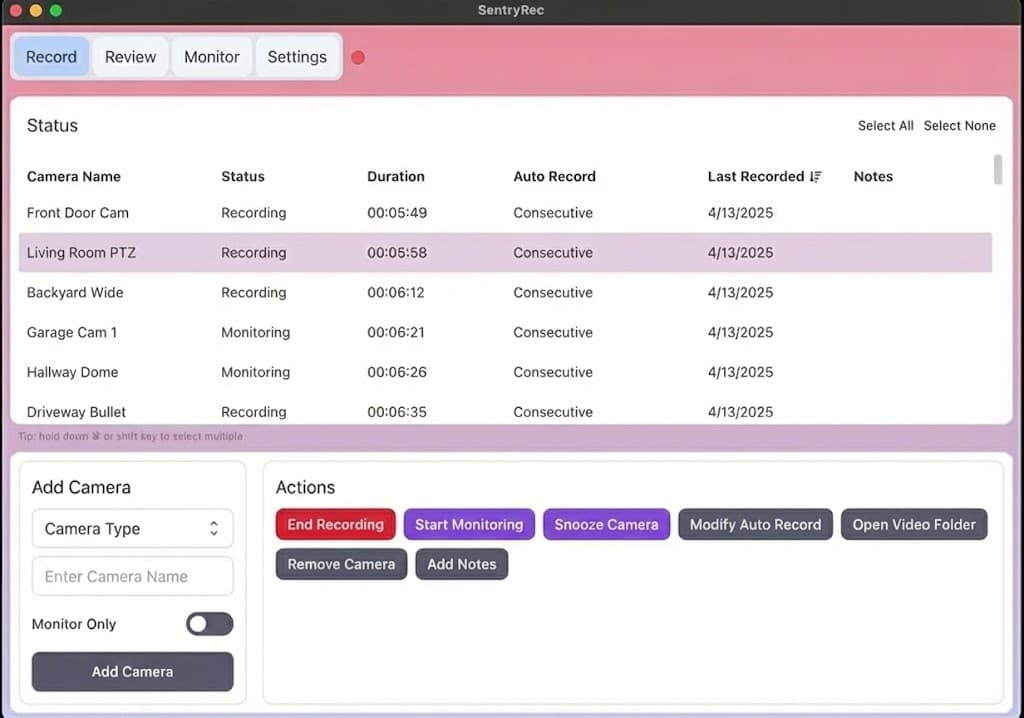
By activating the premium tier, you can record from unlimited cameras simultaneously for any duration without a cap, and can auto-start recordings based on motion detection or schedules. All the advanced settings will also be unlocked. You can read the full feature list here.
You will also help support our ongoing development to make a better product. Thank you for your support!
What camera systems does SentryRec support?
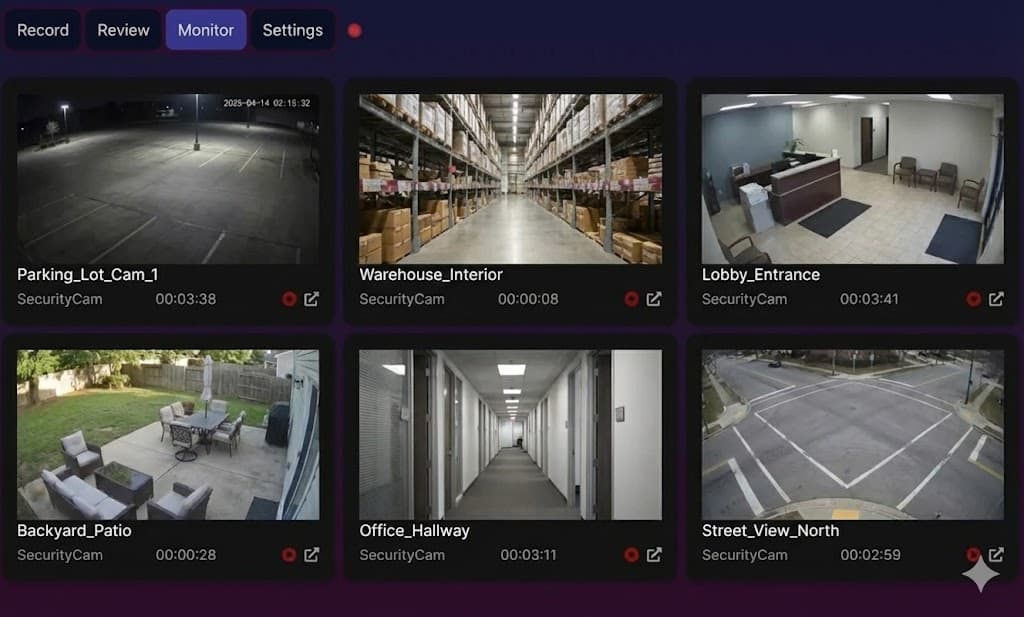
SentryRec supports a wide range of IP cameras and surveillance systems including RTSP streams, ONVIF cameras, HTTP/HTTPS streams, and popular brands like Hikvision, Dahua, Axis, Reolink, Amcrest, Ubiquiti UniFi, Wyze, Ring, Nest/Google, and Arlo. Any camera that provides an RTSP or HTTP video stream should work.
How do I install SentryRec and run it on Windows?
On Windows, you can get SentryRec by downloading it from the provided link above. After downloading, unzip the file and double click the SentryRec.exe program to start it. If Windows prompts you, click “Run anyway”. Also if needed, make sure to whitelist SentryRec.exe and recorderd.exe in your Windows Firewall.
Where does SentryRec store its files and settings?
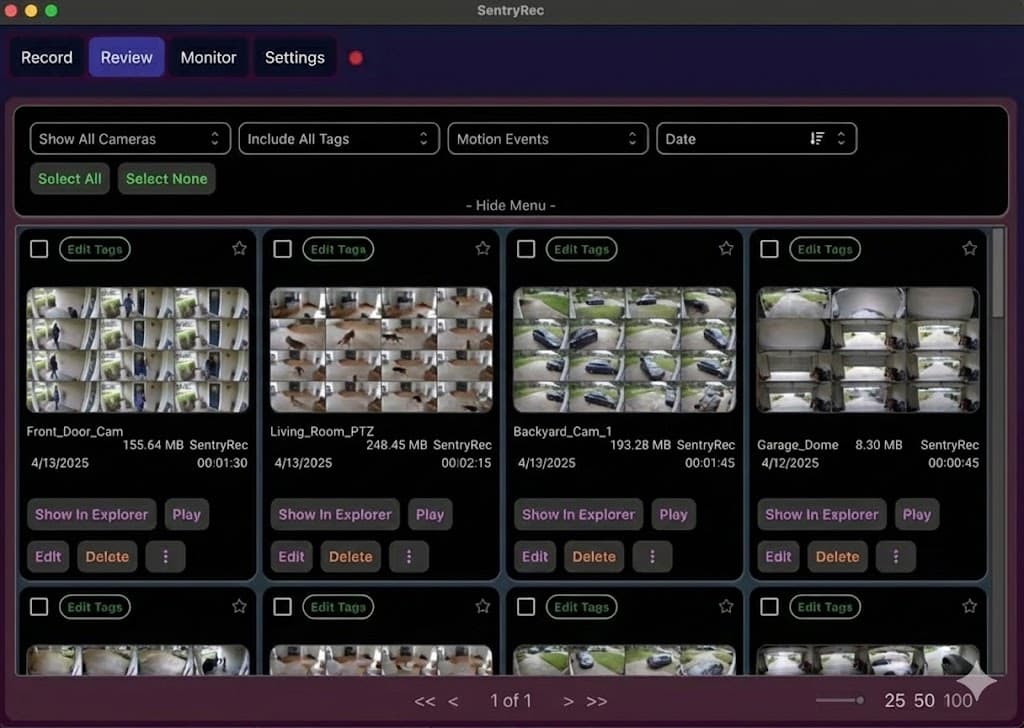
SentryRec stores its configuration files, settings, and recordings in your local user directory. On Windows, this is typically in %APPDATA%/SentryRec. On macOS, it's in ~/Library/Application Support/SentryRec. You can also specify custom storage locations for recordings in the settings.
How do I completely reset SentryRec if I'm having issues?
If you're experiencing persistent issues with SentryRec, you can perform a complete reset by closing the application and deleting the configuration folder. On Windows, this is in %APPDATA%/SentryRec. On macOS, it's in ~/Library/Application Support/SentryRec. Make sure to back up any important settings before doing this.
Is it safe to use SentryRec?
Yes, we ensure every Windows release is safely and securely built, and we release the cryptographic hashes which you can verify as well. Additionally for the Apple binaries, they are each scanned by Apple for any viruses as part of the signing and notarization process. We also do not bundle or install any adware, tracking, or make modifications to your system. If you have any questions about the safety of our software, please contact us. How do you handle private information?
We take privacy very seriously and have designed the app with privacy in mind. The recording and data logic happens completely on your local system, and we do not store or have access to your daily usage. Please note that if you enable anonymous error reporting enabled in the app, we will receive and store any errors you encounter in the app. When you create an account with us, we do not store or retain any personal information. Our payment processor maintains records of billing information, but we do not retain copies of that in our database.
How do I delete my account?
If you wish to delete your account and purge all records, please contact us. Which camera systems are currently supported?
How do I connect my IP cameras to SentryRec?
Most IP cameras provide an RTSP or HTTP stream URL. You can find this in your camera's settings or documentation. Simply add this stream URL to SentryRec, and it will automatically start recording. For ONVIF-compatible cameras, SentryRec can auto-discover them on your network.
I'm having trouble connecting to my cameras. What could be the reason?
Make sure you have the correct stream URL and credentials for your camera. Also check that your firewall isn't blocking the connection. If you're using a VPN, try disabling it as it can sometimes interfere with local network camera access. Check your camera's documentation for the correct RTSP or HTTP stream URL format.
Is SentryRec also available for macOS and Linux?
Yes, SentryRec is available for macOS! You can find the download links above. In the future we may support Linux as well but there is no timeline.
My recordings sometimes stop early. How do I fix this?
There could be many possible reasons for this. First, make sure you have a stable network connection to your cameras. You can try increasing the network timeout setting in the app. Check that your cameras aren't going into power-saving mode or losing connection. As a workaround, you can reduce the disconnect retry setting so recordings immediately restart. If you encounter this issue, please contact support. How do I understand what the different settings do?
You can hover over each setting with your mouse cursor to see the tooltip. If you have further questions, please contact support. Can I schedule recordings?
Yes! Premium users can set up recording schedules and motion-detection triggers. This allows you to record only during specific times or when motion is detected, saving storage space.
Can I record while my computer is turned off?
No, your computer must be running for SentryRec to record. All recording happens locally on your computer, so the application needs to be active and your computer needs to be powered on to capture and save the streams.
What is the difference between SentryRec.exe and recorderd.exe?
SentryRec.exe is the user interface part of the application. recorderd.exe is a multi-threaded child process which handles the recording from cameras and state management. The two processes communicate via web sockets, which is also why Windows Firewall asks for permission.
What programming languages were used to develop this?
SentryRec.exe the user interface was developed with Electron.js in TypeScript and styled with MUI Joy. recorderd.exe, the child process, was programmed in Golang due to its better performance for multi-threaded and asynchronous I/O processing.
How much storage space do I need?
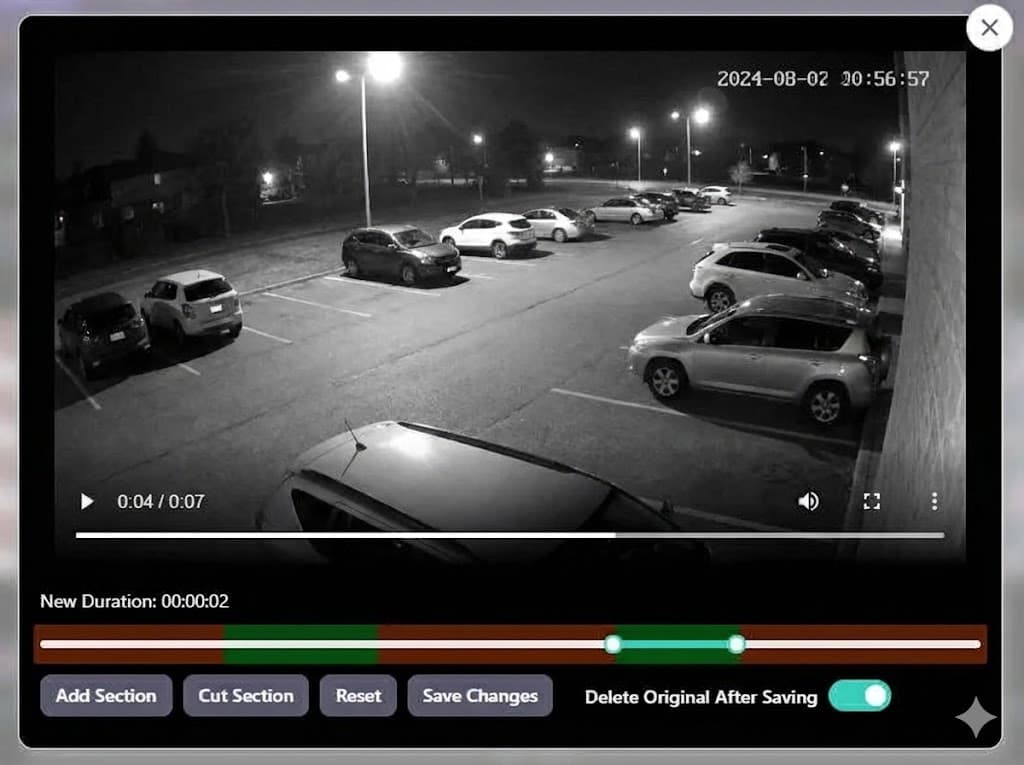
Storage requirements depend on the number of cameras, recording quality, and duration. A single 1080p camera recording continuously at medium quality uses approximately 1-2 GB per hour. We recommend having ample storage space available, and SentryRec includes tools to help manage your recordings and storage.